
P2Player tracker
Rust player tracker: know when they log off
Track the players and clans around you on any Rust server. RustSurvivor tells you in game, in Discord and on Telegram when a tracked player logs on or off, and the clan radar shows when a whole group has gone quiet.
24 hour free trial, no card needed. The open beta is free, and Pro is $6/month or $48/year.
ABC4/6 onlineMostly online
XYZ1/5 onlineMostly offline
DEF0/3 onlineAll offline: raid window
- Clan ABC is logging on: 4/6 online
- Clan DEF is all offline (0/3) for 15 min
P3Trackers
Online and offline alerts for the players you watch
Paste a BattleMetrics link and RustSurvivor starts watching that player for you, around the clock, with your tracking limit shared across all your servers. Each time they come online or go offline you get an alert in team chat, a line in the #tracker channel in Discord and, with Telegram linked, a message on your phone.
The Trackers page lists everyone you track, online first, with the server they play on, when they were last seen and the best time to hunt them. In game, !tracked shows who is on right now; add a tag to filter, like !tracked ABC.
P4Clan radar
See when a whole clan goes offline
Give tracked players a clan tag and RustSurvivor counts each clan for you, like “ABC 4/6 online”. You see it on the Trackers page, the server panel, #tracker and in game with !clans.
Two alerts matter most: when a clan starts logging on together, and when every member has been offline for a while. The second one is your raid window. Check how much the raid will cost first in the free Rust raid calculator.
P5Setup
Start tracking in a minute
- 1
Find the player
Open the player’s page on BattleMetrics and copy the link from the address bar.
- 2
Add the tracker
Paste it in the Trackers tab, or run
/tracker addin Discord with the link and an optional server and clan tag. - 3
Get the alerts
Alerts arrive in team chat and
#tracker. Link Telegram for your phone, and remove a whole clan at once with/tracker remove tag:.
P6Player intel
Look anyone up before you trust them
Player lookup
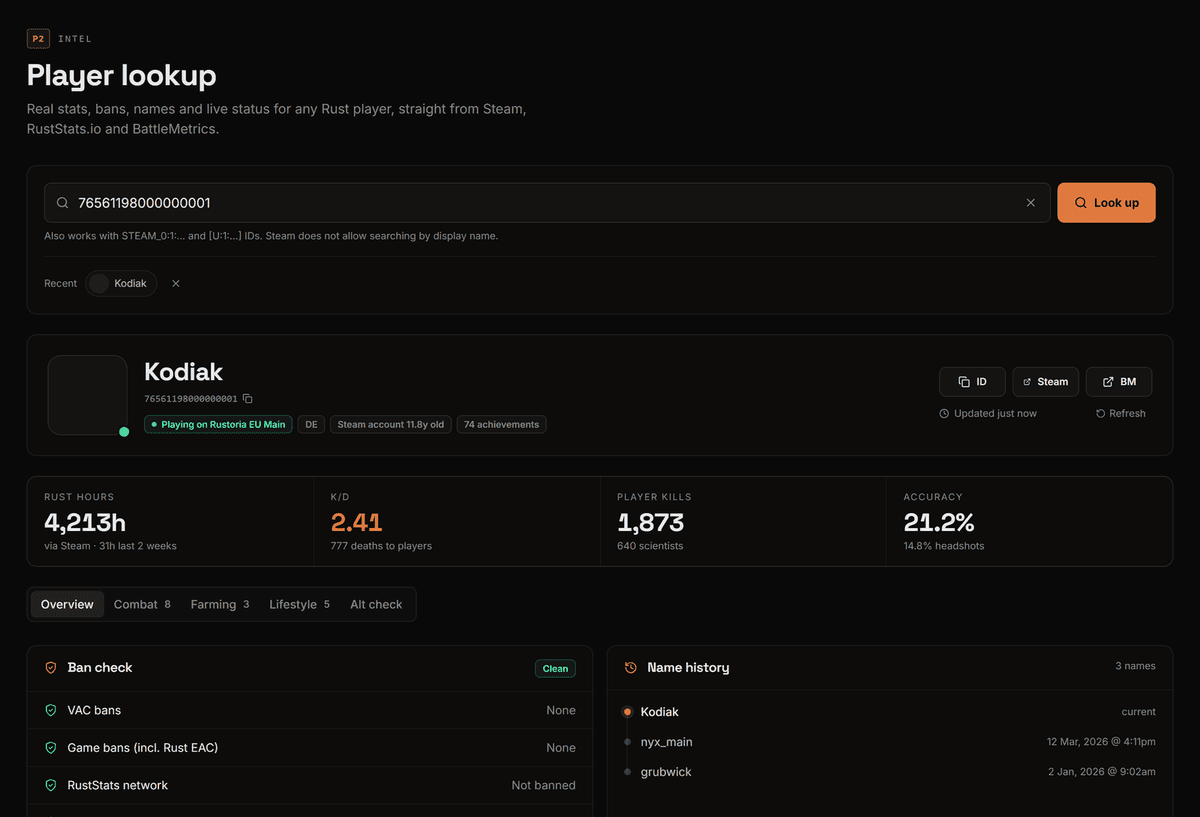
Hours, K/D, bans, name history and a threat rating with reasons. Compare two players and check for alts.
Raid times
The busiest and quietest hours on each server from 4 weeks of player history, in your time zone.
In-game checks
!check,!hours,!bansand!namesanswer in team chat.SmartIntel extension
Free: hours, bans and Steam data on BattleMetrics pages. Get SmartIntel.
Trackers run on the same always-online connection as the Rust+ bot, so alerts keep coming while your PC is off.
Questions, answered
- How do I track a player in Rust?
- Copy the player’s BattleMetrics link and paste it in the Trackers tab of the RustSurvivor dashboard, or use /tracker add in Discord. You get an alert in game, in #tracker and on your phone when they come online or go offline.
- How many players can I track?
- The free trial tracks 10 players at once, Beta 20 and Pro 40, across all your servers.
- What is the clan radar?
- Tag your tracked players with their clan and RustSurvivor counts each clan for you, like “ABC 4/6 online”, on the Trackers page, the server panel, #tracker and in game with !clans. You get an alert when a clan starts logging on together, and when the whole clan has been offline for a while: a raid window.
- Can I see where tracked players are on the map?
- No. Rust+ only shares your own team, so no Rust+ tool can show enemy players on the map. The tracker tells you when they are online and which server they play on.
- Is there a free way to check a player?
- Yes. The free SmartIntel extension for Chrome and Firefox shows true total hours, ban signals, 14-day activity and Steam data right on BattleMetrics and Steam profile pages, no account needed.
More about RustSurvivor
Free Rust tools
Set it up in about 5 minutes
Sign in with Steam, link Rust+ once with the extension and pair your server in game. The first 24 hours of Pro are free.